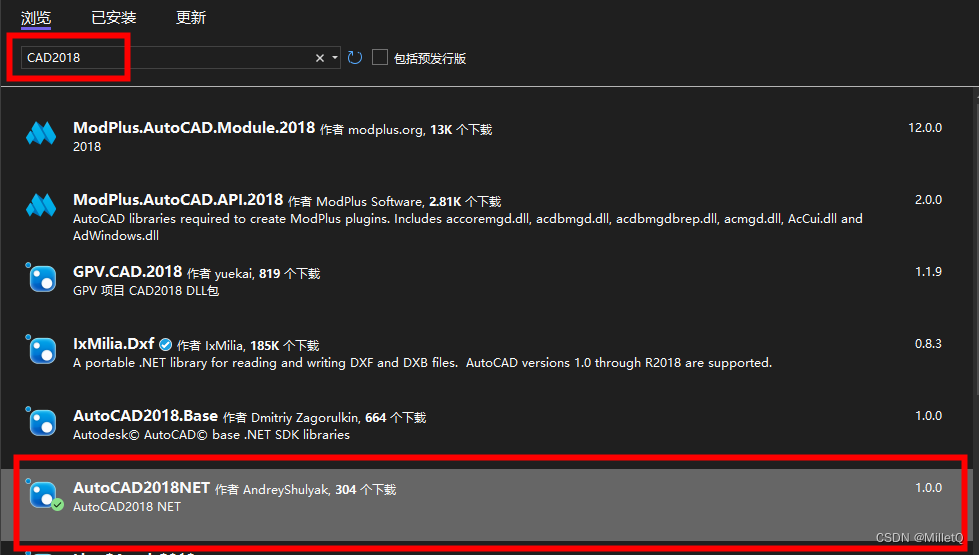
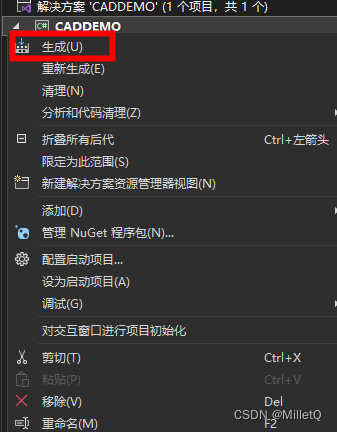
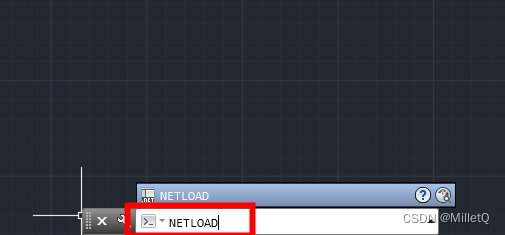
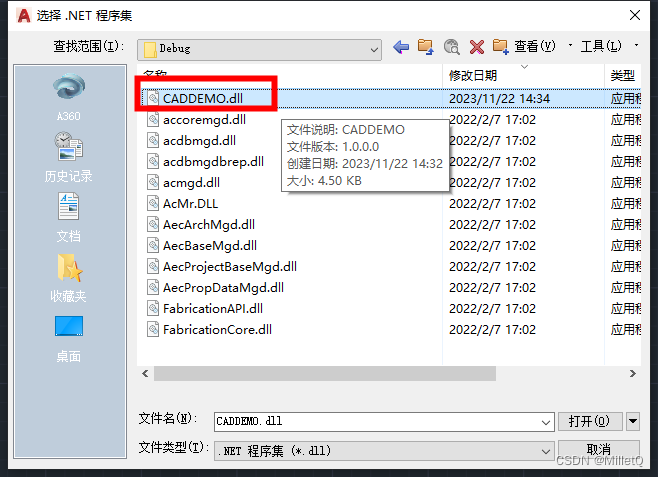
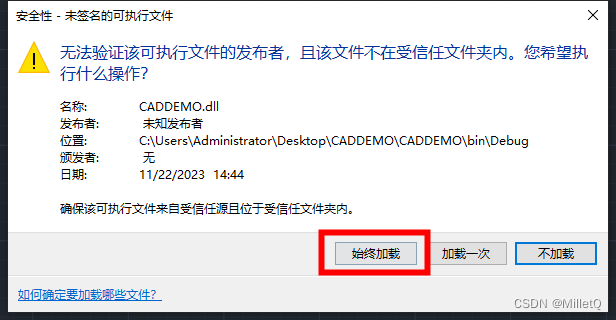
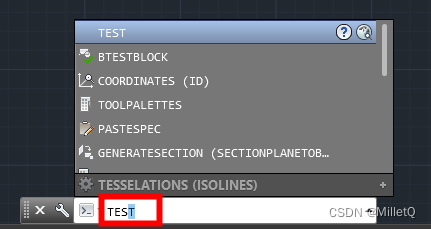
[CommandMethod("test")] public voidTestCommand() { //在此输入业务逻辑代码 }
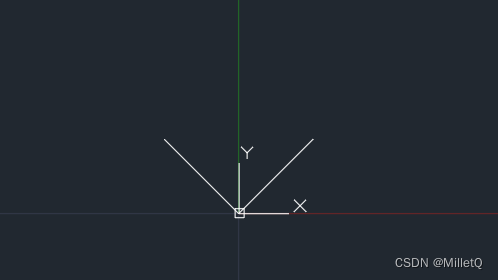
以下示例业务代码为创建一条线
1 2 3 4 5 6 7 8 9 10 11 12 13 14 15
//在此输入业务逻辑代码
//创建两条线
Line line = new Line(new Point3d(0, 0, 0), new Point3d(1, 1, 0));
Line line2 = new Line(new Point3d(0, 0, 0), new Point3d(-1, 1, 0));
//打开CAD块表记录
using (IDisposable db = HostApplicationServices.WorkingDatabase, trans = (db as Database).TransactionManager.StartTransaction(), blockTable = (trans as Transaction).GetObject((db as Database).BlockTableId, OpenMode.ForRead), blockTableRecord = (trans as Transaction).GetObject((blockTable as BlockTable)[BlockTableRecord.ModelSpace], OpenMode.ForWrite))
{
    //添加实体
    (blockTableRecord as BlockTableRecord).AppendEntity(line);
    (blockTableRecord as BlockTableRecord).AppendEntity(line2);
    (trans as Transaction).AddNewlyCreatedDBObject(line, true);
    (trans as Transaction).AddNewlyCreatedDBObject(line2, true);
    //提交实体
    (trans as Transaction).Commit();
}
using Autodesk.AutoCAD.DatabaseServices; using Autodesk.AutoCAD.Geometry; using Autodesk.AutoCAD.Runtime; using System;
namespace CADDEMO { public classClass1 { [CommandMethod("test")] public voidTestCommand() { //在此输入业务逻辑代码 //创建两条线 Line line = new Line(new Point3d(0, 0, 0), new Point3d(1, 1, 0)); Line line2 = new Line(new Point3d(0, 0, 0), new Point3d(-1, 1, 0)); //打开CAD块表记录 using (IDisposable db = HostApplicationServices.WorkingDatabase, trans = (db as Database).TransactionManager.StartTransaction(), blockTable = (trans as Transaction).GetObject((db as Database).BlockTableId, OpenMode.ForRead), blockTableRecord = (trans as Transaction).GetObject((blockTable as BlockTable)[BlockTableRecord.ModelSpace], OpenMode.ForWrite)) { //添加实体 (blockTableRecord as BlockTableRecord).AppendEntity(line); (blockTableRecord as BlockTableRecord).AppendEntity(line2); (trans as Transaction).AddNewlyCreatedDBObject(line, true); (trans as Transaction).AddNewlyCreatedDBObject(line2, true); //提交实体 (trans as Transaction).Commit(); } } } }